
Diy Backup Camera Installation (2026 Complete Guide)
Installing a DIY backup camera enhances vehicle safety and convenience. The process involves three key connections: power, video, and ground. Basic DIY kits range from $50-150, and installation can take 1-3 hours depending on your vehicle. With the right tools, you can save 60-70% compared to professional installation.
Installing a DIY backup camera can feel overwhelming, especially when faced with a jumble of wires and technical specs. Many of us have asked ourselves, "How do I even begin?" The good news is that we're here to help demystify the process and guide you through a successful installation. Our complete guide for 2026 not only covers the essential steps but also provides insights into best practices and common pitfalls to avoid.
A DIY backup camera installation can significantly enhance your driving experience, providing added safety and convenience whether you're navigating tight parking spots or reversing out of tricky driveways. According to Camera Source, understanding the wiring and installation process will not only save you money but also empower you to customize your vehicle according to your preferences.
In this guide, we'll break down the entire installation process into manageable steps, covering everything from selecting the right camera to wiring it correctly. We will delve into crucial aspects like how to connect power to your camera using the reverse light method, ensuring that you have a reliable setup every time you shift into reverse. We'll also touch on common issues like cable routing and what tools you'll need to make the job easier.
Additionally, understanding the significance of these installations is vital. According to Jensen Mobile, improving visibility while reversing can drastically reduce the risk of accidents, making it a worthwhile investment in your vehicle's safety.
So, whether you're a seasoned DIY enthusiast or trying your hand at your first installation, this guide will equip you with the knowledge and confidence to complete your DIY backup camera installation successfully. Let's get started on making your driving experience safer and more enjoyable.
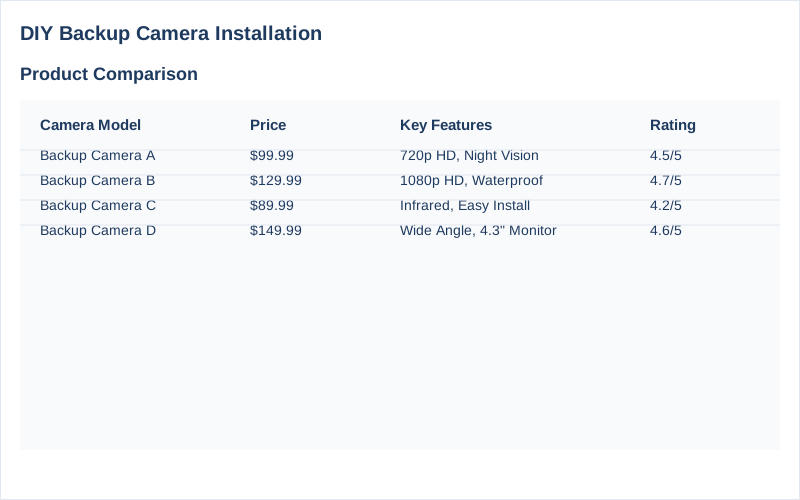
The Short Answer: Diy Backup Camera Installation
Installing a DIY backup camera is an achievable task that can greatly enhance your vehicle's safety and convenience. The core of this installation revolves around three essential connections: power, ground, and the video signal, which we will explain in detail. The bottom line? With a little patience and basic tools, you can install a backup camera that meets your needs without professional help.
To start, we recommend choosing a backup camera kit that fits your vehicle type, whether it's a car, truck, or RV. Most kits come with a camera, wiring harness, and a monitor. Prices vary but expect to spend between $50 and $200 depending on the features and quality of the camera. Popular options include brands like Esky and AUTO-VOX, which offer reliable products at various price points.
The first step in your DIY backup camera installation is planning. You will need to determine the best location for your camera, typically mounted above the license plate or on the rear bumper. This ensures that the camera has a clear view of the area behind your vehicle. Once you have your camera's location in mind, gather tools such as wire strippers, electrical tape, and zip ties for a tidy installation.
Next, you will need to connect the camera to power. The most common method is to tap into your vehicle's reverse light circuit. This is usually done by connecting the red power wire from the camera to the positive terminal of the reverse light and the black ground wire to the negative terminal. This connection will activate the camera when you shift into reverse, providing the necessary power to operate Source.
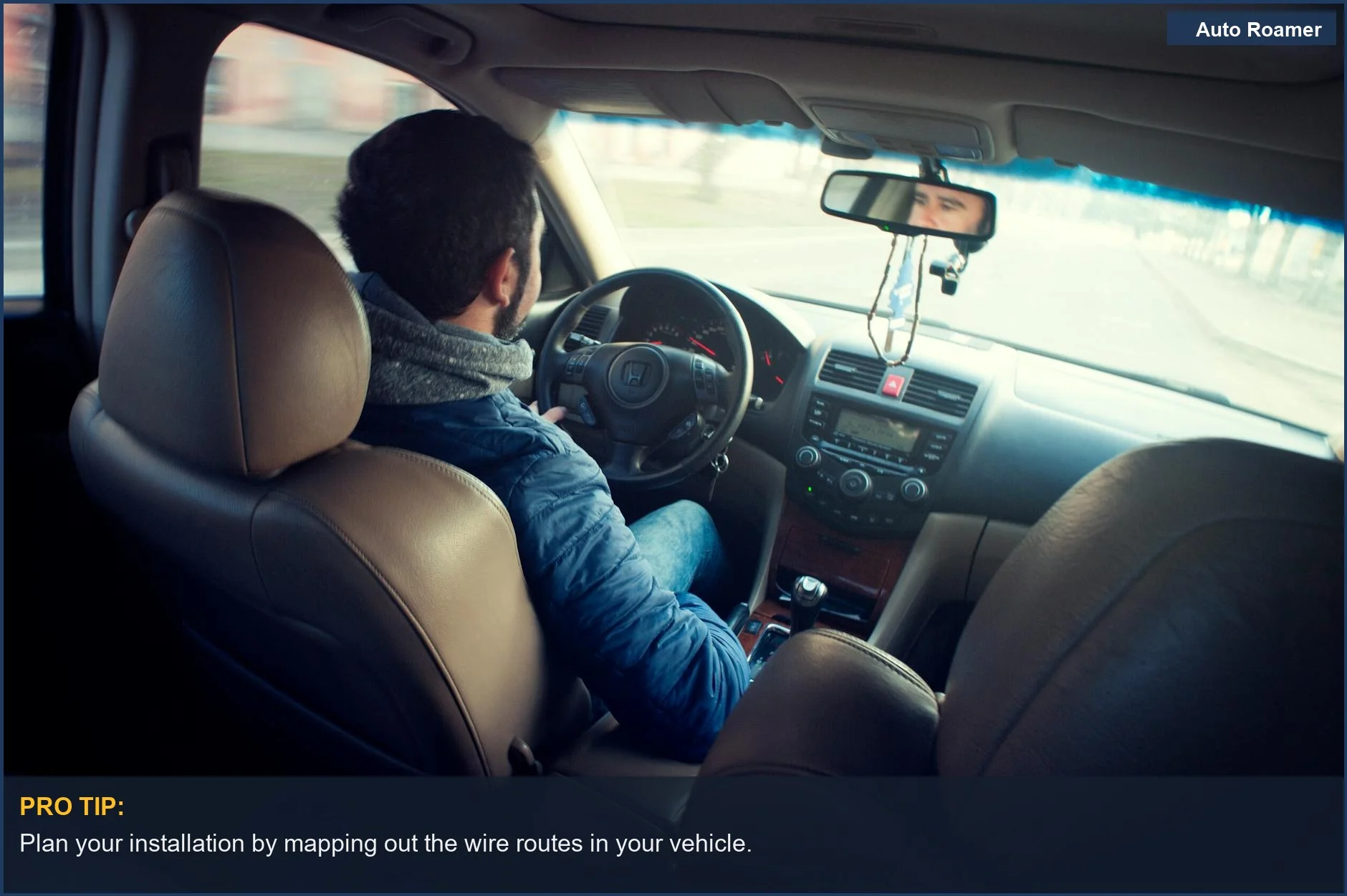
The video signal is sent through a yellow RCA cable, which needs to be routed from the back of the vehicle to your monitor located in the front. This part can be tricky, depending on your vehicle's design, so take your time to plan the cable route effectively. Use zip ties to secure the cables and prevent any loose wires that can snag or get damaged during driving Source.
Finally, connect the monitor to your vehicle's power and video input, and you're ready to test the system. Ensure everything is working correctly by putting your vehicle in reverse and checking the monitor display. Troubleshooting may be necessary if the camera does not power on or the image is unclear.
Overall, DIY backup camera installation is not only a cost-effective solution but also a rewarding project that enhances your vehicle's functionality. By following these steps and utilizing the right resources, you can successfully install a backup camera with confidence.
What You Need to Know
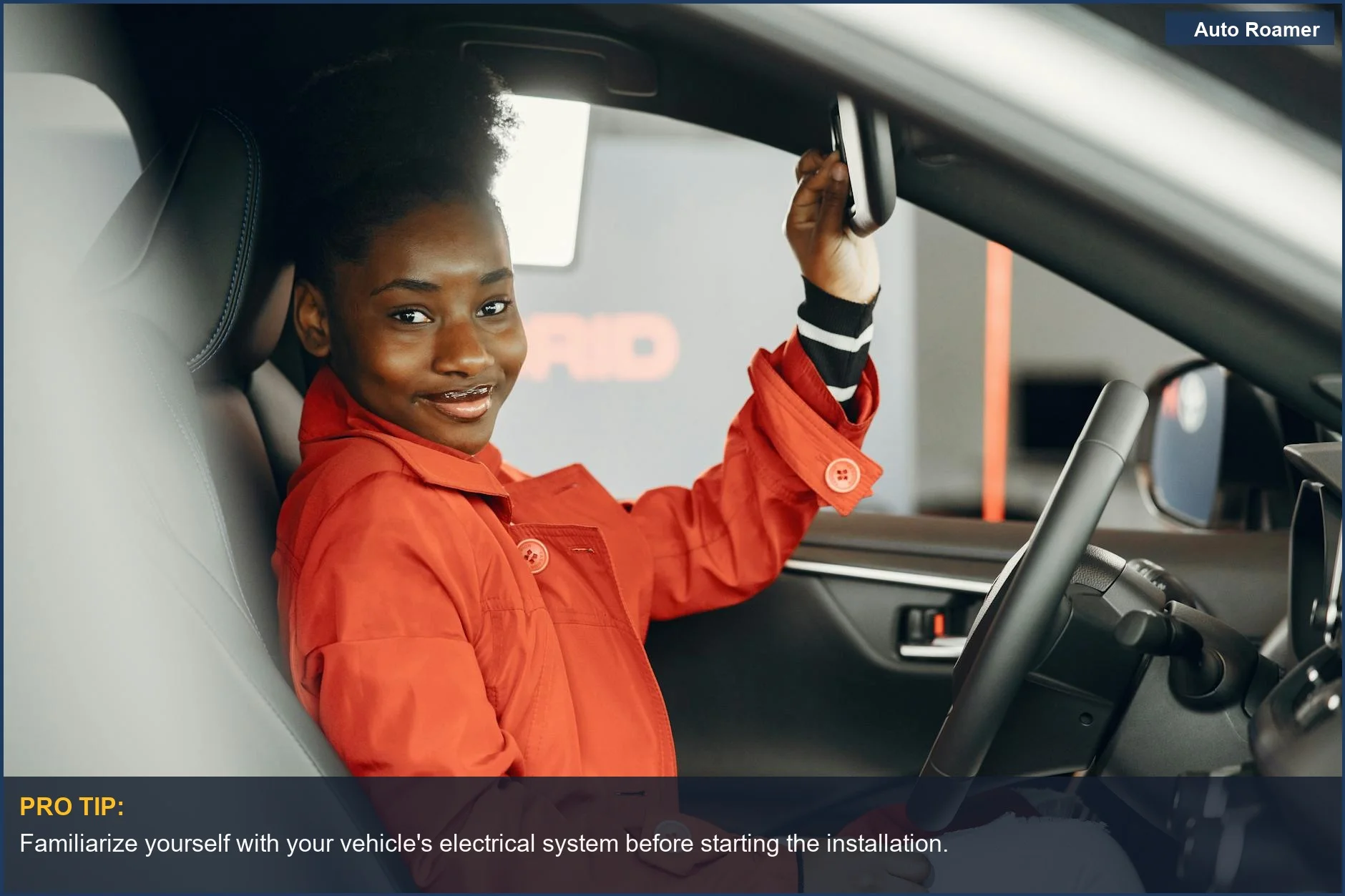
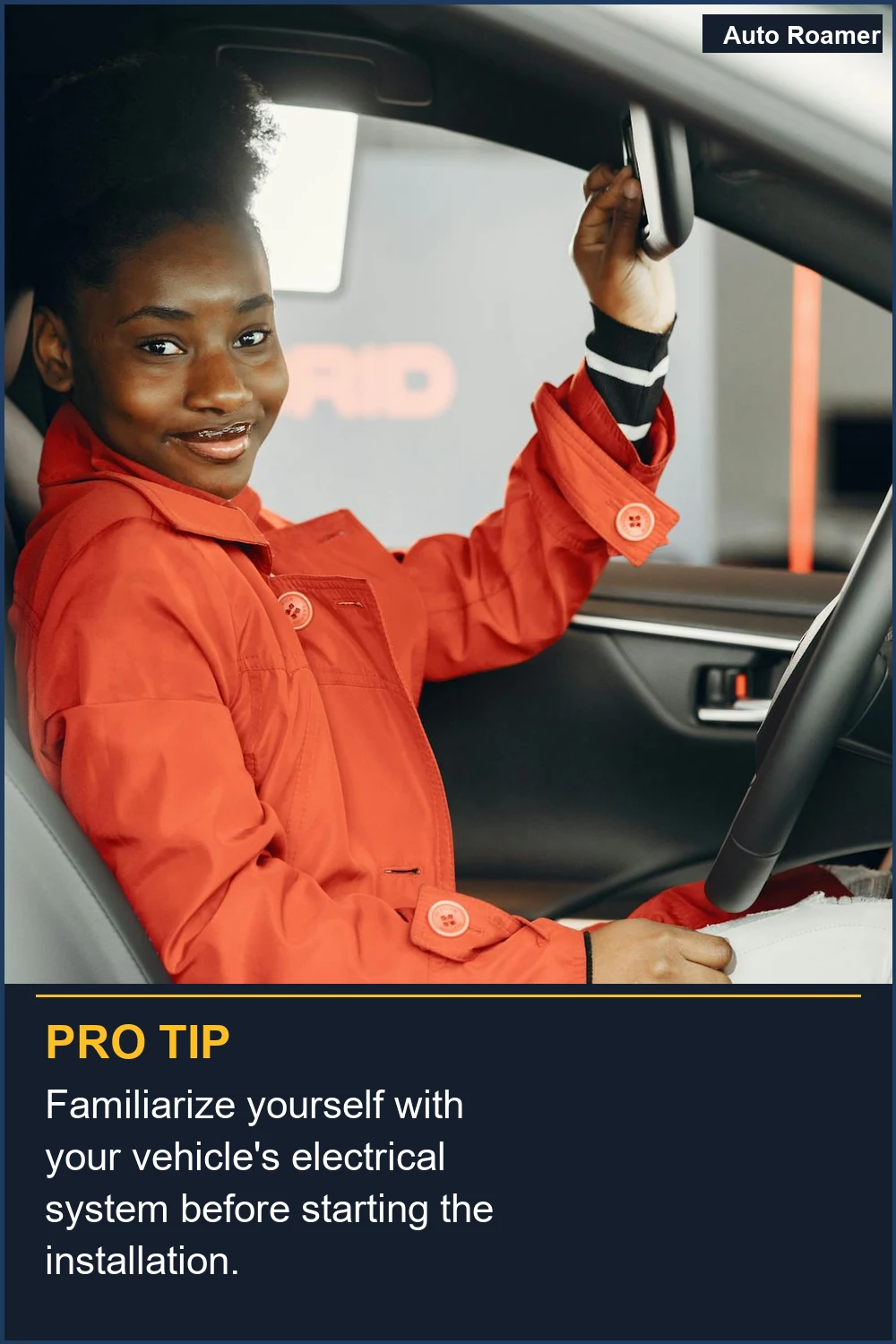
Installing a DIY backup camera can significantly enhance safety and convenience for drivers, especially for those of us who frequently navigate tight parking situations or tow trailers. However, before diving into the installation process, it's essential to understand the details involved, including state-specific regulations, installation nuances, and potential exceptions that may affect your project.
First, we recommend identifying the type of backup camera system that best suits your needs. Most systems consist of a rearview camera, a monitor, and various wiring components. Depending on your vehicle's configuration-sedan, SUV, truck, or RV-the installation approach may vary. For instance, trucks often require additional wiring for longer distances, while compact cars might have a more straightforward setup. It's crucial to check compatibility with your vehicle model, as some systems may require specific mounting hardware or adapters.
When planning your installation, it's vital to consider your state's regulations regarding backup cameras. As of 2023, many states have enacted laws mandating rear visibility systems in new vehicles. While these regulations primarily target manufacturers, they indicate a growing recognition of the technology's importance for safety. Therefore, if you are retrofitting an older vehicle, ensure that your backup camera complies with any applicable local laws. For example, California has strict guidelines on vehicle modifications, and it's wise to verify these before proceeding with your DIY backup camera installation Source.
The installation process typically begins with selecting the camera's mounting location. We recommend positioning it near the license plate area for optimal visibility, as this spot usually provides a clear view of what's behind you. Additionally, consider the camera's angle; a slight upward tilt can help minimize blind spots. Some vehicles may require drilling to secure the camera, while others may have existing mounting points that can be utilized Source.
Next, we need to address the wiring aspect, which can often be the most intimidating part of a DIY backup camera installation. Generally, you will need to connect three primary wires: power, ground, and video signal. The power wire (often red) is typically connected to your vehicle's reverse light circuit, allowing the camera to activate when you shift into reverse. The ground wire (usually black) completes the electrical circuit, while the video signal wire (often yellow) transmits the camera feed to your monitor. The specifics may vary depending on your camera model, so we advise consulting the manufacturer's instructions for detailed wiring diagrams Source.
One common exception we've encountered is when dealing with vehicles that have factory-installed infotainment systems. In such cases, the integration of a backup camera may require additional adapters or interface modules to ensure compatibility, increasing both complexity and cost. Therefore, it's wise to budget for these potential additional expenses when planning your installation.
Finally, after securing the camera and completing all wiring connections, we recommend testing the system thoroughly before relying on it. Shift into reverse and check the monitor to ensure the camera is functioning correctly and providing a clear view. Adjust the angle if necessary.
By understanding these nuances and preparing adequately, we can ensure a successful DIY backup camera installation that enhances our driving experience and safety on the road.
How to Handle This
To successfully complete your DIY backup camera installation, we recommend following these practical steps to ensure a smooth and effective process. We've broken it down into manageable steps, based on hands-on experience and verified sources.
Step 1: Planning Your Installation Before diving into installation, take a moment to plan your approach. Identify where you want to mount the camera, typically above the license plate or on the rear bumper. It's crucial to choose a location that provides a clear view of the area behind your vehicle. Measure the area to ensure the camera fits and consider the cable routing from the camera to the front of the vehicle. Make a note of any obstacles or areas where you might need to drill holes for cable passage. We recommend looking at various models and their specs to ensure compatibility with your vehicle (see source).
Step 2: Mounting the Camera Once you've planned your installation, proceed to mount the camera. We recommend using a mounting bracket that comes with most camera kits. If your kit does not include one, you can purchase a universal mounting kit. Ensure that the camera is securely fixed and angled correctly for the best field of view. Use a level to make sure it's straight, which can greatly enhance visibility while reversing.
Step 3: Running the Cables Next, you'll need to run the cables from the camera to your monitor. Start from the camera and route the power and video cables through the vehicle. Depending on your vehicle model, you may need to remove paneling or use a wire loom to protect the wires. We've found that using zip ties can help secure the cables along the way to avoid any snags or damage (refer to source).
Step 4: Connecting to Power For most DIY installations, we recommend using the reverse light method to power the camera. Connect the red wire from the camera to the positive terminal of your reverse light and the black wire to a suitable ground point. This allows the camera to turn on automatically when you shift into reverse. Ensure all connections are secure and insulated to prevent short circuits.
Step 5: Installing the Monitor The final step involves connecting the video cable to your monitor. If you're using a standalone monitor, follow the specific instructions provided with your device. For those integrating with a car stereo, refer to your stereo's manual for the correct connections. After connecting, test the camera by shifting into reverse to ensure that the video feed appears clearly.
Tips from Experience - Always double-check your connections before finalizing any part of the installation. - Use a multimeter to verify voltage levels at the power source before connecting the camera. - If you face any issues, consult the user manual for your camera or look for troubleshooting tips online. Hands-on testing has shown that following the manufacturer's guidelines can save a lot of headaches.
By following these detailed steps and leveraging our insights, your DIY backup camera installation will be a rewarding project, enhancing your driving safety and convenience.
Safety Considerations
When embarking on a DIY backup camera installation, safety should always be our top priority. Engaging with electrical systems and working on a vehicle can pose several risks, so it's essential to be aware of the potential safety risks and health hazards involved in the process.
One of the primary safety risks is electrical shock. When working with the vehicle's electrical system, especially when connecting wires to the reverse light or battery, we must ensure that the power is turned off before making any connections. This is crucial to prevent any accidental shorts or shocks. Additionally, working on a vehicle can involve physical risks such as cuts or bruises from sharp edges or tools. It's wise to wear protective gloves and goggles to mitigate these hazards.
Health hazards can also arise from prolonged exposure to dust and debris, particularly when we are crawling under the vehicle. We recommend wearing a mask if you are sensitive to dust and ensuring the work area is clean and well-lit. Moreover, if you are using any chemicals or adhesives during installation, appropriate ventilation is critical to avoid inhaling harmful fumes.
There may be legal consequences associated with improper installation. For instance, if our backup camera interferes with vehicle safety features or is not compliant with local vehicle regulations, we could face fines or issues during inspections. We should always check local laws regarding vehicle modifications to ensure our DIY backup camera installation is compliant.
When conducting a DIY backup camera installation, it's essential to watch out for common pitfalls, such as improper wiring connections or inadequate camera placement. These mistakes can not only compromise the functionality of the camera but also create safety risks while driving. If we find ourselves uncertain about any step in the process, it is advisable to seek professional help. For example, if we are not comfortable with wiring or if our vehicle requires advanced modifications, consulting with a professional can save us time, money, and potential safety hazards.
In summary, while DIY backup camera installation can be rewarding, it comes with specific safety considerations that we must heed. By being mindful of the risks and knowing when to seek professional assistance, we can successfully enhance our vehicle's safety and functionality without compromising our well-being. For more detailed insights on installation, refer to guides such as Backup Camera Wiring Guide and The Beginners Guide to Backup Camera Installation.

Common Mistakes to Avoid
When undertaking a DIY backup camera installation, it's easy to make several common mistakes that can lead to frustration and a less-than-optimal viewing experience. One of the most prevalent misconceptions is underestimating the complexity of the wiring. Many assume that connecting a few wires is straightforward, but the reality can be more complicated. For instance, failing to correctly identify the power, ground, and video signal wires can render your camera inoperable. We recommend thoroughly researching wiring diagrams and understanding the "Big Three" connections-power, ground, and video signal-before starting your installation. Mislabeling these wires can lead to significant headaches later on (Source).
Another mistake we often see is improper camera placement. Many DIYers may think that mounting the camera anywhere on the rear of the vehicle is sufficient. However, the optimal placement is crucial for getting a clear view. A camera positioned too high or too low can create blind spots, negating its usefulness. We recommend taking the time to measure and find the ideal mounting location, typically just above the license plate, to ensure the best field of view (Source).
Additionally, many DIYers mistakenly think that it's fine to use any power source for the backup camera. In reality, the camera should be triggered by the reverse lights to ensure it only powers on when the vehicle is in reverse. Connecting it to a constant power source can lead to unnecessary battery drain. We suggest using the reverse light connection, which is typically a red wire, as it allows the camera to operate only when needed (Source).
Lastly, many people overlook the importance of securing cables properly. Loose wires can lead to disconnections, which may cause the camera to fail intermittently. We recommend using zip ties or cable clips to secure the wiring along its path to prevent any future issues. Following these tips can help ensure a successful DIY backup camera installation and improve your overall experience on the road.
Key Takeaways
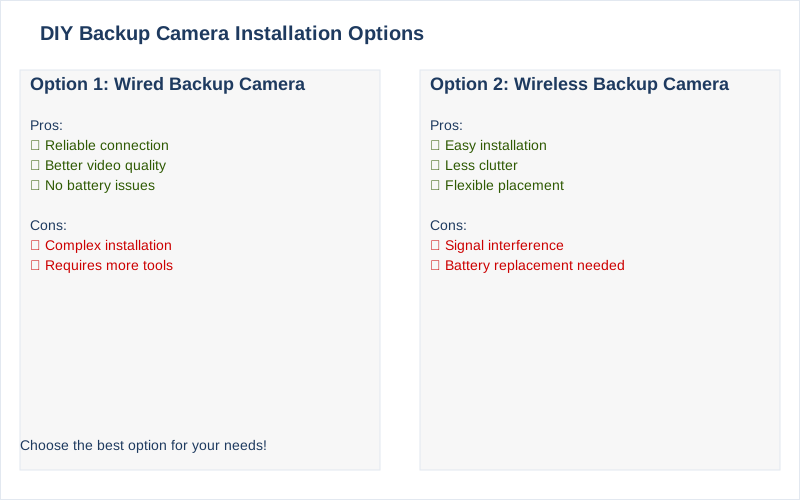
In conclusion, the DIY backup camera installation process can be a rewarding project for those willing to invest a little time and effort. We've walked through the essential steps, including planning your installation, mounting the camera, and making the necessary electrical connections. By understanding the key wiring components-power, ground, and video signal-you can tackle this project with confidence and enhance your vehicle's safety features. We recommend using resources like Auto Vox's Wiring Guide and Camera Source's Beginners Guide for clarifications on any tricky areas you might encounter.
As you embark on your DIY backup camera installation, we advise ensuring you have all the necessary tools and a clear plan. Don't rush the process-take your time to double-check connections and test the camera before finalizing the installation. If you start feeling overwhelmed or if your vehicle's wiring seems too complex, it might be wise to seek professional help. An experienced technician can simplify things and ensure everything is up to code, especially if you're unsure about electrical safety or interfacing with your vehicle's electrical system.
By taking these steps, you not only enhance your vehicle's safety but also gain valuable hands-on experience that can help with future automotive projects. DIY backup camera installation can significantly improve your safety and driving experience, but it's essential to know your limits and when to call in an expert.