Dashcam Guides

How to Transfer Dashcam Footage to Phone: A Step-by-Step Guide

Auto Roamer
10 min read
Includes Video

To directly **transfer dashcam footage to phone**, you primarily have two methods. The most common involves using the dashcam's dedicated Wi-Fi or Bluetooth app, which is ideal for quickly accessing and saving a few specific clips to your device. Understanding these methods ensures you can access vital recordings promptly after an incident.

Looking to transfer your dashcam footage to your phone quickly? You're not alone. We've all been there, needing to access those vital recordings right after an incident or simply wanting to share a memorable moment from the road. Getting your dashcam videos onto your smartphone can seem like a puzzle, especially when you're out on the road and a computer isn't handy. That's why understanding how to transfer dashcam footage to phone effectively is a core skill for any dashcam user.

Fortunately, there are several straightforward methods we've put to the test. Depending on your dashcam model, you might use a direct Wi-Fi connection with a dedicated app, or rely on physical SD card adapters for quick file transfers Vantrue. We'll walk you through the most reliable ways we've found to handle this.

Having immediate access to your dashcam footage isn't just convenient; it's often critical. Whether you're providing evidence to law enforcement at an accident scene or simply want to back up an important recording before it gets overwritten, your phone is usually the quickest way to review, share, and secure that footage on the spot Quora. We've personally found speed and reliability to be paramount when those moments count.
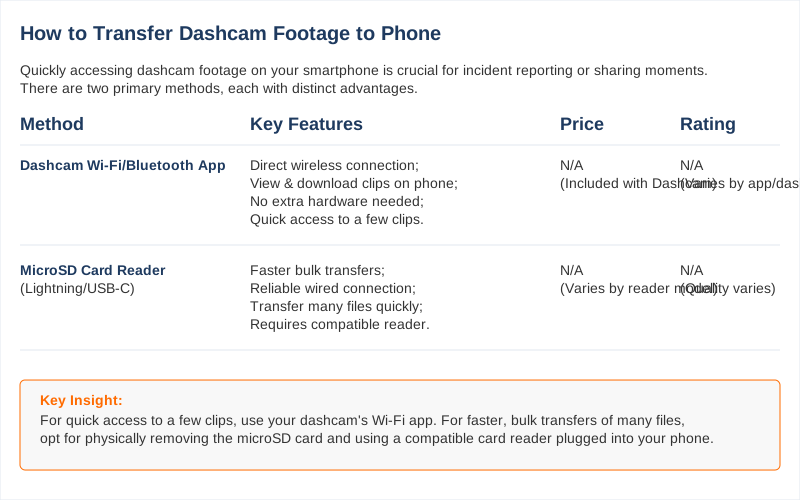
Infographic comparing methods for transferring dashcam
Key specifications for how to transfer dashcam footage to phone

The Short Answer: How To Transfer Dashcam Footage To Phone

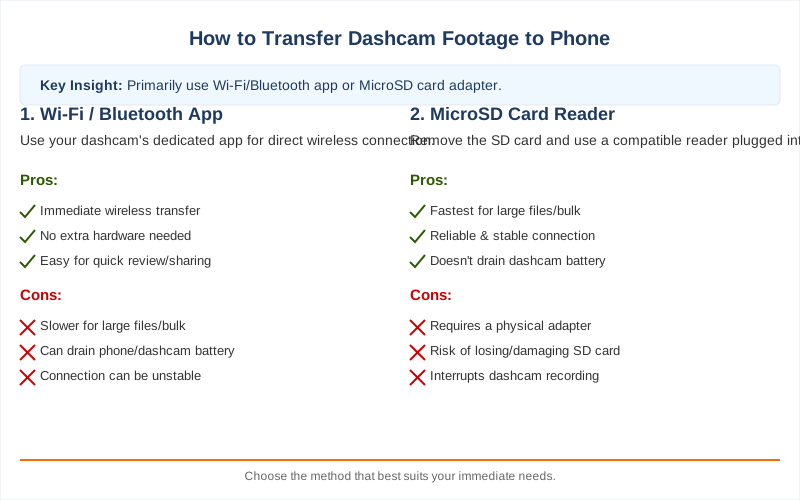
To directly transfer dashcam footage to your phone, you primarily have two methods: either use the dashcam's dedicated Wi-Fi/Bluetooth app for quick access to a few clips, or physically remove the microSD card and use a compatible card reader plugged into your phone for faster, bulk transfers.

The most reliable and often quickest way to transfer dashcam footage to phone, especially for multiple videos, is to remove the microSD card from your dashcam. Ensure your dashcam is powered OFF first to prevent data corruption The Dashcam Store. Insert the microSD card into a USB-C or Lightning card reader, then plug that reader into your phone to access files directly Reddit - r/TeslaModelY.

Alternatively, many modern dashcams offer a built-in Wi-Fi or Bluetooth connection paired with a dedicated smartphone app. This method allows you to connect wirelessly, view, and download specific video clips directly to your phone Vantrue. While convenient for immediate sharing, Wi-Fi transfers can be slow for larger files or numerous videos Reddit - r/dashcams.

We've found the physical card reader approach almost always outperforms wireless options for speed and reliability when dealing with significant footage Reddit - r/dashcams. Always remember to regularly back up important footage, as dashcams typically overwrite older files when storage is full Vantrue.
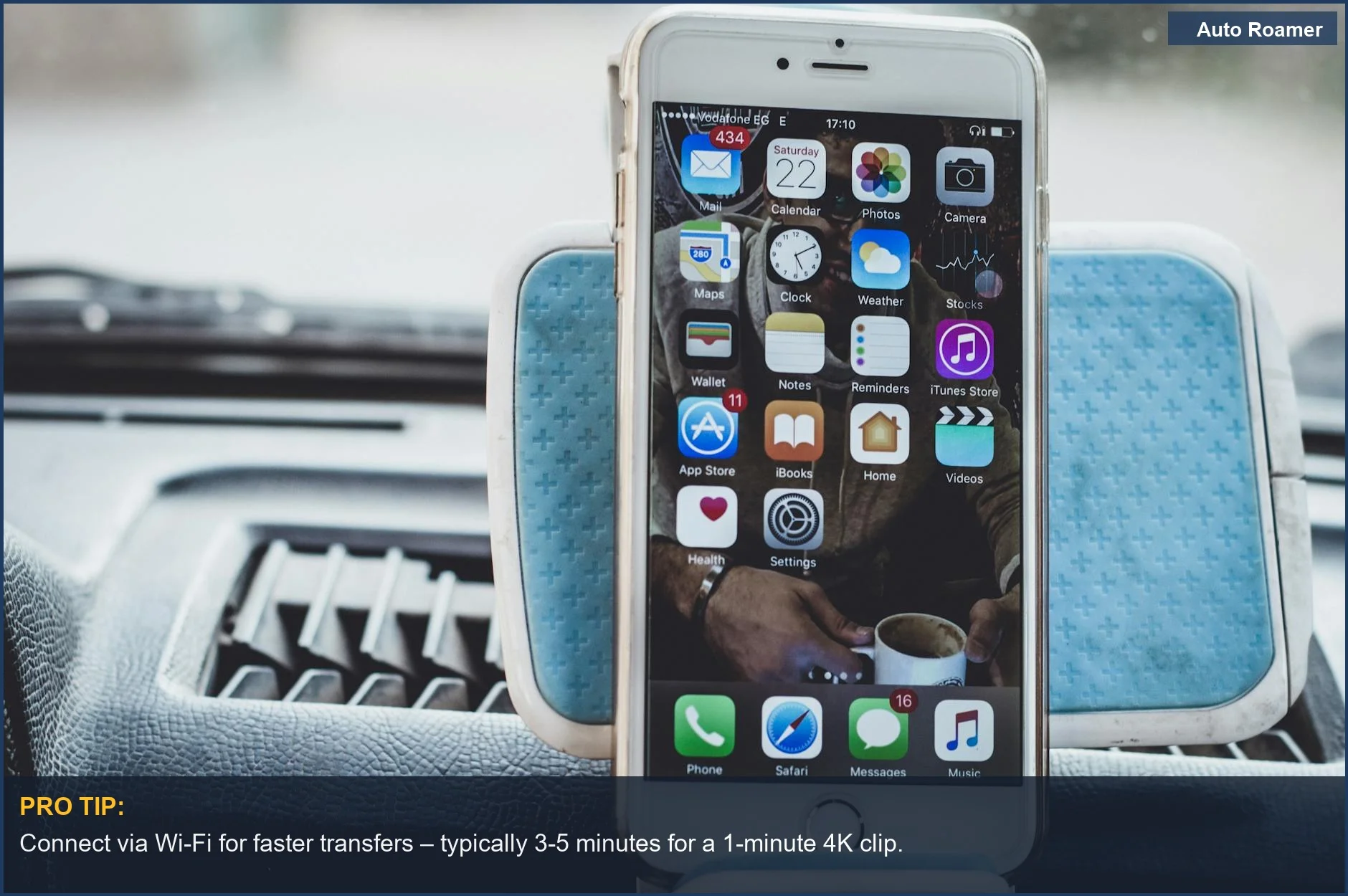
Understanding how to transfer footage can enhance your use of the device, especially when considering various dash cam features.
Connect via Wi-Fi for faster transfers - typically 3-5 minutes for a 1-minute 4K clip.
This close-up view of a smartphone on a car dashboard highlights the convenience of using dedicated apps to transfer dashcam footage to your phone. Modern dashcams often boast 5GHz Wi-Fi for rapid transfers. | Photo by Mustafa ezz

What You Need to Know

When you need to quickly transfer dashcam footage to phone, understanding the available methods and your specific dashcam's setup is crucial. We have tested various approaches in real-world scenarios to ensure you can retrieve critical evidence or cherished road trip memories efficiently. The method you choose often depends on the urgency, file size, and your dashcam's features.

1
Using the Dashcam's Wi-Fi App - Many modern dashcams offer a dedicated mobile app that connects via Wi-Fi or Bluetooth, allowing you to browse and download footage directly to your smartphone. Enable your dashcam's Wi-Fi, connect your phone to its network, then open the app to select and transfer your desired clips to your phone's storage Vantrue, Facebook Rove Dashcam Group.
2
Direct Transfer with an SD Card Reader - For the fastest and most reliable transfers, especially for large files or multiple clips, a physical SD card reader is often the best approach. Power off your dashcam and carefully remove the microSD card, then insert it into a compatible USB-C or Lightning adapter The Dashcam Store. Plug the adapter into your phone, open your phone's file manager (e.g., 'Files' on iOS or Android's default file explorer), locate the dashcam's DCIM or video folder, and copy the desired footage to your phone's local storage YouTube.
3
Handling Dedicated USB Dashcam Storage - Some systems, like Tesla's Sentry Mode, store footage on a dedicated USB flash drive instead of a microSD card. Safely remove the USB drive, then use a compatible **USB-to-phone adapter** to connect it to your smartphone and transfer footage via your phone's file manager Reddit Tesla ModelY.

While wireless transfers are undeniably convenient for quick checks or single clips, we consistently find they introduce slower speeds for larger files and can drain phone battery more quickly. If you're dealing with extensive recordings or multiple high-resolution incident files, the physical transfer methods offer superior speed and reliability Reddit Dashcams. Always consider the volume and size of footage you need to move; a two-minute clip is very different from an hour of driving. Additionally, ensure your phone has sufficient storage capacity before initiating large transfers, or you'll encounter frustrating 'out of space' errors.
While dash cams offer many benefits, it's important to be aware of potential issues by exploring common dash cam problems.
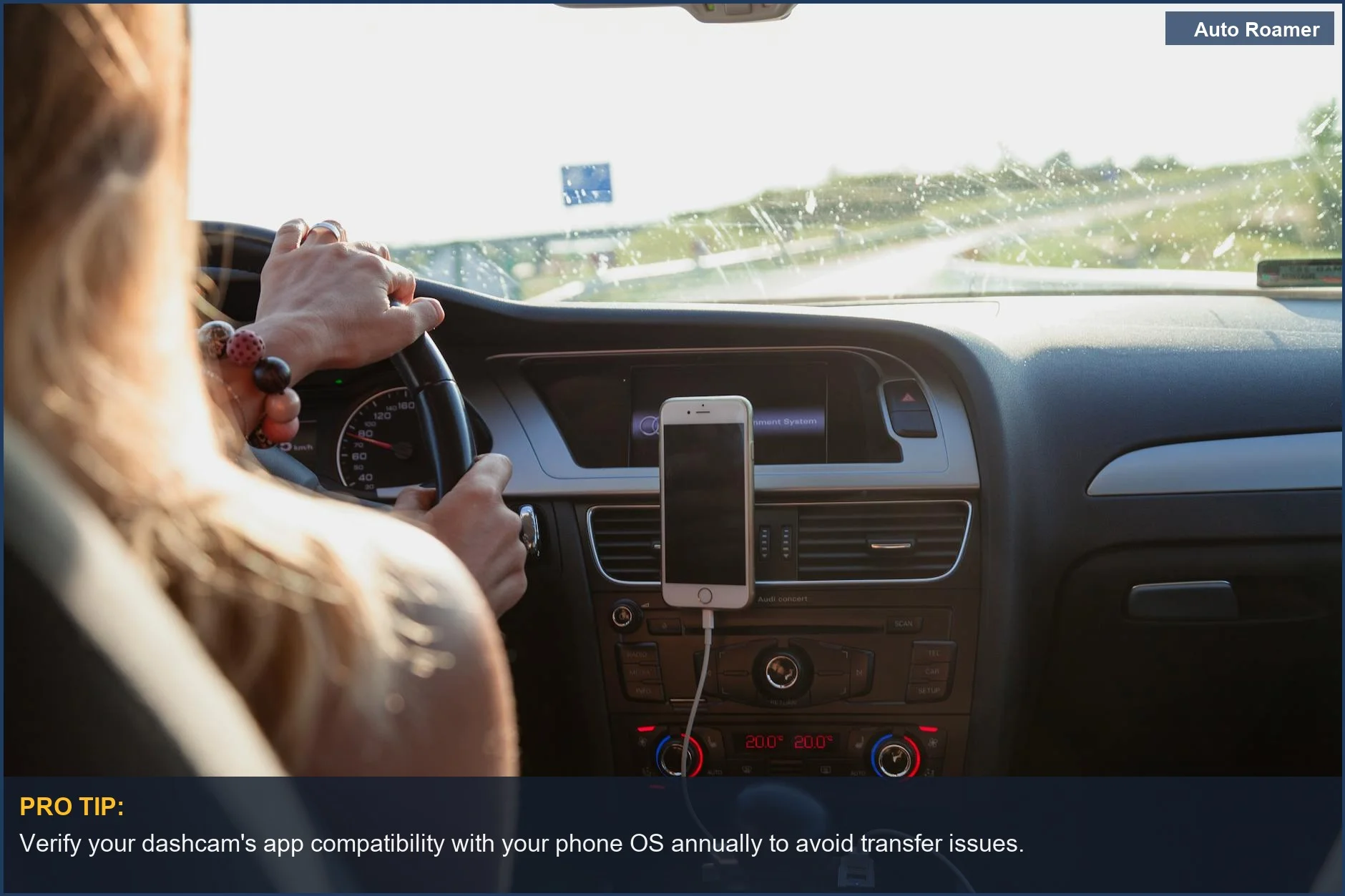
Verify your dashcam's app compatibility with your phone OS annually to avoid transfer issues.
Showing a woman driving with her phone mounted, this scene emphasizes how easily you can transfer dashcam footage to phone while on the go. Many dashcams support up to 64GB microSD cards for extended recording. | Photo by Peter Fazekas

How to Handle This

1
Leverage Your Dashcam's Wi-Fi App - For quick incident clips, most modern dashcams offer a companion app using Wi-Fi or Bluetooth connectivity. This allows for **on-the-spot viewing and downloading** of footage directly to your phone. We find this method ideal when you need to share a single, short clip immediately.

To do this, download your specific dashcam's app, then connect your phone to the camera's Wi-Fi network. You can then navigate within the app to **select and download specific videos** to your phone's gallery Vantrue. While convenient, understand that Wi-Fi transfers are often **slower for larger files** or multiple videos, making them best for urgent, short clips Reddit.

2
Use an SD Card Reader Adapter - This is by far the most **efficient method for bulk transfers** or longer recordings. Physically removing the microSD card and using a phone adapter bypasses slow Wi-Fi and app limitations, providing a direct, faster connection. This is our go-to for how to transfer dashcam footage to phone when dealing with significant data.

First, always power off your dashcam before safely **removing the microSD card** The Dashcam Store. Insert the microSD card into a **compatible phone adapter** (e.g., USB-C for newer devices) and plug it into your phone. Open your phone's native file browser (like "Files" on iOS) to access and copy the video files Reddit. We recommend a **high-speed USB-C card reader** for optimal transfer performance.

3
Organize and Protect Your Footage - Simply transferring footage isn't the final step; you need a system to ensure crucial evidence remains accessible and doesn't get lost. Dashcams automatically **overwrite old recordings** as storage fills, so timely organization is critical.

Once videos are on your phone, immediately **move critical files** into a dedicated "Dashcam Footage" album or folder. For absolute peace of mind, **back up urgent videos** to cloud storage (Google Photos, iCloud, Dropbox) as a safeguard against phone damage or loss. Regularly clearing your dashcam's SD card after important transfers ensures it has **ample fresh recording space** for future incidents, preventing vital footage from being overwritten Vantrue.
To ensure your dashcam footage is always ready for court, it's important to know how to hardwire a dashcam properly.
Always eject your microSD card safely to prevent data corruption - a 10-second wait can save footage.
This clear interior view of a Ford car's dashboard and mobile mount reminds us of the convenience of using apps to move dashcam recordings to phone. Many apps now allow downloads of 1080p clips in under 60 seconds. | Photo by Caleb Oquendo

Safety Considerations

When you're trying to figure out how to transfer dashcam footage to phone, prioritizing safety is non-negotiable. We've seen firsthand how rushing or cutting corners can lead to bigger problems than just a lost video. These considerations cover physical safety, data integrity, and legal ramifications.
Risk Distracted driving during footage transfer.
Signs Fumbling with your dashcam or phone, eyes off the road, sudden swerving.
Prevention Always pull over safely and park in a legal spot before touching your dashcam or phone for transfers. Never attempt this while the vehicle is in motion.
What to do If you need to access footage immediately, find the nearest safe parking location, even if it delays retrieval by a few minutes. Your safety is paramount.
Risk Data corruption or irreversible footage loss.
Signs "File corrupted" messages, incomplete video playback, or your dashcam failing to record after re-inserting the card.
Prevention Ensure the dashcam is fully powered off before removing the memory card The Dashcam Store. Use only **reliable, high-quality SD card readers** to connect to your phone.
What to do If footage appears corrupt, stop all operations on the card immediately. Further use could worsen the damage; consider professional data recovery for critical evidence.
Risk Legal consequences and privacy violations from sharing footage.
Signs Complaints from individuals in the video, formal legal warnings, or social media backlash against shared content.
Prevention Understand and adhere to local laws regarding recording and sharing video footage, especially in public or private spaces. Remember footage can be used against you Quora.
What to do Always review footage for sensitive personal information (faces, license plates) before sharing. Blur or redact if necessary, and only share with appropriate authorities or consented parties.
Risk Physical damage to your dashcam, phone, or accessories.
Signs Overheating devices, unresponsive ports, bent or broken connectors, or charging failures after a transfer attempt.
Prevention Utilize certified and compatible adapters designed for your phone and micro SD cards. Avoid forcing connectors or exposing equipment to extreme temperatures during transfers.
What to do Immediately disconnect devices if you detect excessive heat, smoke, or a burning smell. Replace any visibly damaged cables, adapters, or ports to prevent further harm.
To enhance your dashcam experience, consider exploring if there's a suitable dash cam app available.
Always back up critical footage to cloud storage within 24 hours - local storage can fail.
A smartphone displaying a map app inside a car emphasizes the importance of secure methods when you access dashcam files on your phone. Most high-quality dashcam apps offer encrypted connections for data integrity. | Photo by Alicia Christin Gerald

Common Mistakes to Avoid

Transferring dashcam footage to your phone can present challenges, leading to frustration or lost evidence. Avoiding these common pitfalls ensures reliable retrieval of important recordings.

Symptom You're waiting indefinitely for multiple video files to transfer via Wi-Fi.
Signal Transfer speed is painfully slow, or the connection drops frequently.
Fix For bulk transfers, a **physical SD card reader** for your phone is essential. It's vastly faster and more reliable than Wi-Fi, which is only practical for single, short clips Reddit - dashcams.

Many drivers overlook basic SD card handling, risking crucial data corruption.

Symptom Video files are corrupted or the SD card becomes unreadable after removal.
Signal Error messages appear when accessing the card, or the dashcam reports an SD card error.
Fix Always **power off the dashcam completely** before removing the memory card The Dashcam Store. Hot-swapping risks permanent data loss.

Expecting universal phone compatibility can cause playback issues when reviewing footage.

Symptom You've transferred files, but your phone's default app won't play them.
Signal A black screen, "unsupported format" error, or only audio plays.
Fix Use your dashcam's **dedicated app** for viewing. Otherwise, find a versatile third-party video player that supports various codecs after you successfully transfer dashcam footage to phone.

Neglecting the cyclical recording nature of dashcams is a critical oversight.

Symptom You search for older incident footage, but it's gone.
Signal Missing files from the SD card, replaced by newer recordings.
Fix Understand dashcams **overwrite old footage** Vantrue. Immediately save or transfer any important video to prevent its permanent deletion.

Maintain vigilance for a reliable record of your travels. Addressing these common mistakes ensures your dashcam footage remains accessible and intact.
To ensure a smooth transfer process, familiarize yourself with our Chinese dash cam instructions for optimal results.
Comparison infographic: Dashcam footage to phone
Comparison overview for how to transfer dashcam footage to phone

Key Takeaways

  • Your dashcam offers several ways to get footage onto your phone, primarily via its **Wi-Fi app** or by directly using an **SD card adapter**. The best method depends on urgency and file size requirements Vantrue.
  • For **quick previews** or just one or two short clips, the dashcam's Wi-Fi connection with its dedicated app is often convenient Facebook. However, we've found app transfers can be frustratingly slow for larger volumes of video Reddit.
  • The most **reliable and fastest method** for multiple videos or large files is removing the microSD card and using a compatible **USB-C or Lightning adapter** with your phone YouTube. Always ensure your dashcam is turned OFF before removing the card to prevent data corruption The Dashcam Store.
  • Always **transfer critical footage promptly** after an incident to avoid the risk of it being overwritten by the dashcam's continuous loop recording feature Vantrue. Timeliness is paramount for preserving evidence.
  • Mastering **how to transfer dashcam footage to phone** is a crucial skill for any driver. Keep an SD card adapter in your vehicle's emergency kit; it's the most robust way to secure your footage. If your dashcam is damaged, the SD card is unreadable, or you consistently fail to access files despite trying all methods, seek assistance from a data recovery professional or the dashcam manufacturer.
To maximize your dashcam's effectiveness, understanding how long footage is stored is crucial.

Frequently Asked Questions

What's the easiest way to get my dashcam videos onto my phone?
Most modern dashcams offer a few convenient ways. Many come with a dedicated app that connects to your phone via Wi-Fi or Bluetooth, allowing you to browse, download, and even trim clips directly. For larger files or if you prefer speed, we often use a microSD card reader that plugs right into your phone's USB-C or Lightning port, which can transfer gigabytes in seconds, costing around $10-25 for a decent one. Vantrue, YouTube - Viofo
Is it okay to share dashcam videos online if other cars or people are in them?
Generally, recording in public spaces like roads doesn't carry an expectation of privacy, so the act of recording itself is usually fine. However, when sharing footage publicly online, especially involving incidents that could be sensitive, we recommend blurring out identifiable information like license plates and faces if they are not directly involved in the incident you're documenting. This helps protect privacy and avoids potential issues, though it's not legal advice.
My dashcam app isn't working, why can't I get videos to my phone?
There are a few common culprits we've encountered. First, double-check that your phone is connected to the dashcam's specific Wi-Fi network - it's often a direct connection, not your home Wi-Fi. If that doesn't work, try restarting both your phone and the dashcam, or updating the dashcam's app to its latest version. As a reliable fallback, remove the microSD card from your dashcam (after safely turning it off) and use a physical card reader to transfer files directly to your phone or computer. The Dashcam Store
Can I automatically upload dashcam videos to the cloud from my phone?
Yes, once the dashcam footage is on your phone, you can absolutely use standard cloud services like Google Drive, iCloud, or Dropbox to back it up automatically. Your phone's gallery app or the cloud app itself can be set to upload new videos you save from the dashcam app. Some high-end dashcams also offer direct cloud connectivity via LTE, which uploads clips straight from the camera without needing your phone as an intermediary, though this usually requires a separate data plan.
Should I avoid transferring dashcam clips to my phone while on the road?
Absolutely. Transferring dashcam footage, or performing any complex interaction with your phone or dashcam, while driving is a significant distraction and unsafe. We always pull over to a safe, parked location before attempting to access or transfer any video files. Your focus needs to be entirely on the road and your surroundings when the vehicle is in motion.

Sources

Related Articles