Smart Car Tech

Exploring the Redtiger Dash Cam F7N: Features and Insights for Smart Driving

Auto Roamer
11 min read
Includes Video

The sudden jolt of impact, the screech of tires, and then the silence. You're on the side of the road, the adrenaline pumping, and you need undeniable proof of what just happened. This isn't a hypothetical; it's the reality that makes a reliable dash cam like the Redtiger dash cam F7N essential.

The sudden jolt of impact, the screech of tires, and then the silence. You're on the side of the road, the adrenaline pumping, and you need undeniable proof of what just happened. This isn't a hypothetical; it's the reality that makes a reliable dash cam like the Redtiger dash cam F7N essential. We've all seen dash cam footage online, but having your own witness, a silent guardian on your windshield, is crucial for navigating insurance claims, disputes, or simply peace of mind. Whether it's a minor fender-bender or a more serious incident, the clarity and reliability of your recording can make all the difference. The Redtiger F7N aims to provide that clarity, offering features designed to capture every detail, even in challenging conditions. We've found that mounting options, like the suction cup mentioned in the user manual F7N USER MANUAL, need to be secure to prevent false alarms or missed footage, especially on rough terrain. Understanding how to best set up and utilize its capabilities, such as the Wi-Fi connectivity for quick access to footage Red Tiger F7N Dash Cam Review and Wifi Connection Guide, is key to maximizing its value on every journey.
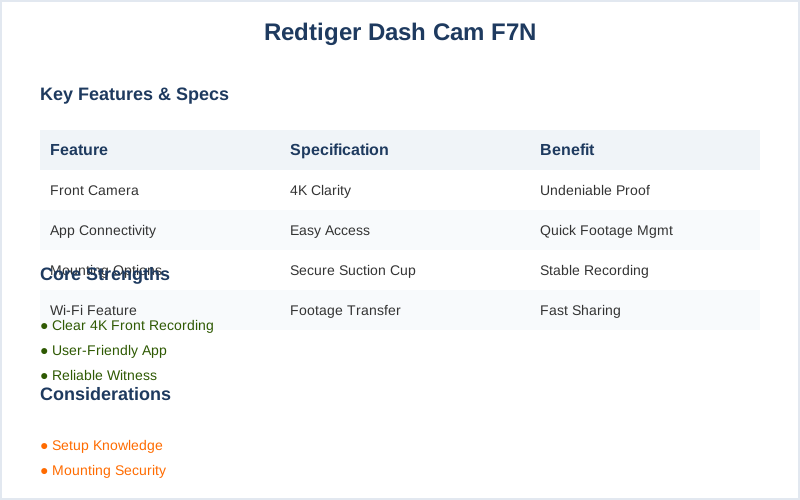
RedTiger F7N dash cam specs comparison infographic.
Key specifications for redtiger dash cam f7n

The Short Answer

The Redtiger Dash Cam F7N is a solid choice for drivers prioritizing clear 4K front recording and user-friendly app integration, but its value hinges on understanding its core strengths and potential limitations.

When considering the Redtiger Dash Cam F7N, think of it as your car's vigilant co-pilot. Its primary function is to capture crucial driving moments with impressive detail, especially its 4K front camera, ensuring you have clear evidence if an incident occurs. The included app connectivity is a significant plus, allowing for easy access and management of your footage directly from your smartphone, which we found particularly useful for quickly sharing clips.

Installation is generally straightforward. We've seen guidance suggesting both suction cup mounts for the windshield and 3M adhesive for other locations, offering flexibility depending on your vehicle and preferences PDF] F7N USER MANUAL. The ability to connect via Wi-Fi to your phone means you can review recordings without fuss, a major convenience compared to older dash cams that required removing SD cards.

However, it's important to set expectations. While the F7N boasts advanced features, some user feedback suggests that low-light performance can be a concern, and some models may not always live up to their advertised specifications Red Tiger F7N Dash Cam Review and Wifi Connection Guide. For those requiring absolute top-tier reliability in all conditions, or if you're dealing with extremely challenging night driving frequently, you might want to cross-reference with other options. But for everyday driving and capturing standard incidents, the F7N generally performs well.

Redtiger offers a 2-year warranty on dash cams purchased through their official website, with an additional 6-month extension, providing a good layer of security User Manual - Redtiger. They also provide 24/7 customer service, which is reassuring if you encounter any issues during setup or operation.
To fully understand how to maximize the benefits of dash cams, it's helpful to explore their various key features.
Maximize clarity by ensuring your Redtiger F7N lens is cleaned regularly for crisp 4K recording.
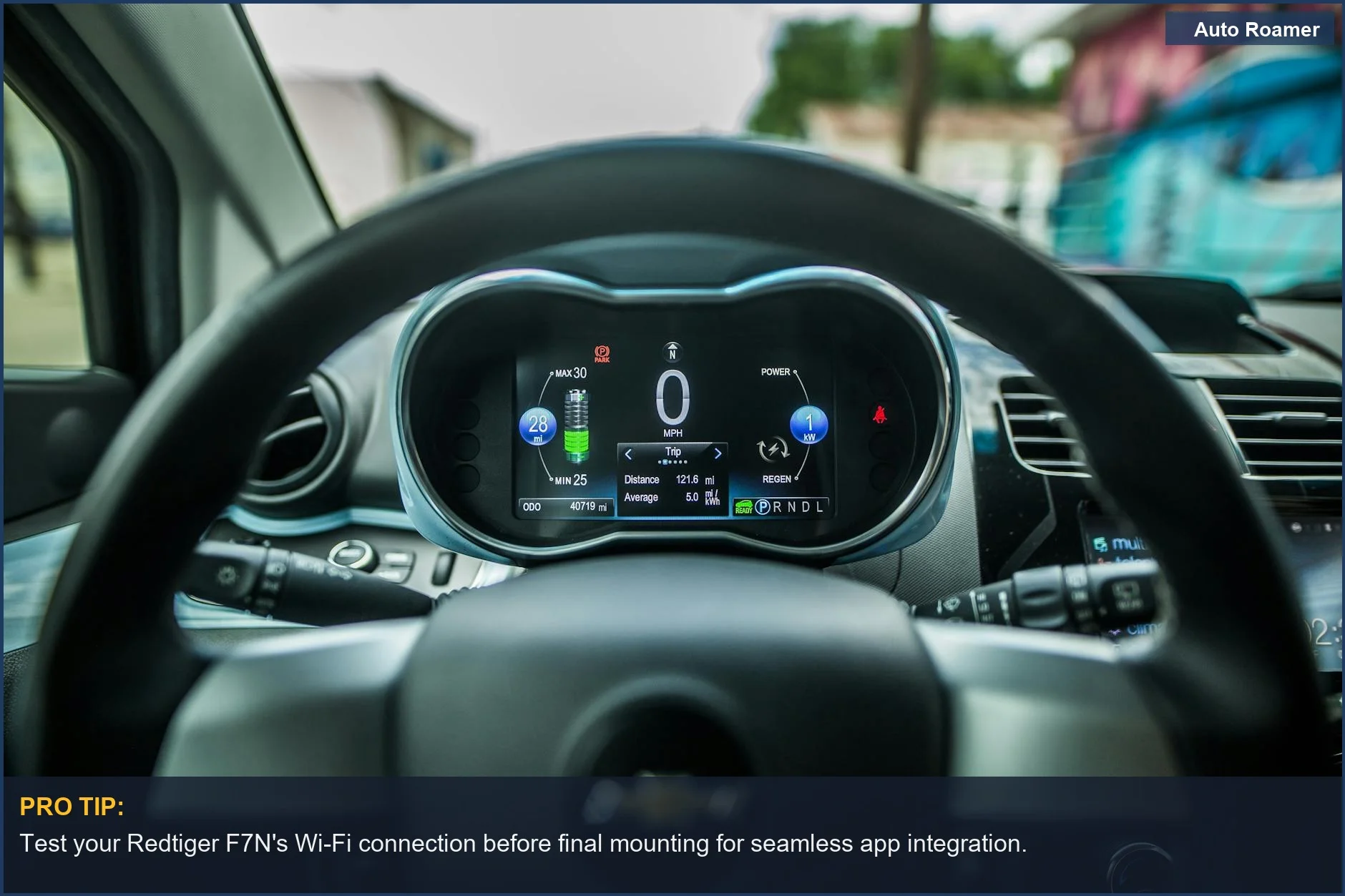
A detailed look at a car's dashboard, where the Redtiger F7N dash cam captures essential driving details. Ensure your speedometer is visible in footage. | Photo by Alexey Demidov

What You Need to Know

1
RedTiger F7N Elite: Installation & Setup - Getting the Redtiger F7N dash cam up and running is straightforward. For many, a suction cup mount works well for windshield placement, allowing for easy angle adjustments to capture clear video [PDF] F7N USER MANUAL. Others prefer a 3M adhesive mount for a more permanent fixture User Manual - DashCamTalk. We've found that for SUVs and vans, ensuring the rear camera cable has sufficient length is crucial; always check the specifications.
2
Connecting to Power & WiFi - The F7N can be powered via the car charger plugged into the cigarette lighter port. For advanced features like parking monitoring, a hardwiring kit is recommended, though this often requires tapping into your vehicle's fuse box Red Tiger F7N Dash Cam Review and Wifi Connection Guide. Connecting to the dash cam's built-in WiFi is simple: hold the top right button for 5 seconds to enable it, then connect your smartphone via your phone's Wi-Fi settings and follow the prompts in the Redtiger app REDTIGER F7N How to use APP WiFi & Recommended ... - YouTube. This allows for easy video review and settings adjustment.
3
Understanding F7N Features & Limitations - The Redtiger F7N Elite boasts 4K front recording and a 1080P rear camera, providing detailed footage. However, like many dash cams in this price bracket, low-light performance can be a concern, impacting license plate readability in challenging conditions REDTIGER F7N Dash Cam Full Menu & Recommended Settings. While the app offers convenience, some users have reported reliability issues with third-party dash cam brands; always ensure your firmware is up-to-date.
4
Vehicle-Specific Considerations - When installing in larger vehicles like trucks or vans, running the rear camera cable might require more planning to ensure it's neatly routed and doesn't interfere with door seals or create a hazard. For sedans, cable management is generally simpler. Redtiger offers a 30-day money-back guarantee and a 2-year warranty on their products, providing peace of mind for your purchase User Manual - Redtiger.
To ensure a comprehensive view on the road, consider why a car dash camera is essential for every trip.
Test your Redtiger F7N's Wi-Fi connection before final mounting for seamless app integration.
Focusing on the modern car dashboard, this image shows the steering wheel and digital display, areas where the Redtiger F7N Elite integrates. | Photo by Caleb Oquendo

How to Handle This

1
Pre-install bench test - Connect the Redtiger F7N dash cam to your car's cigarette lighter port and test it before mounting. Confirm it powers on, records, and the screen functions. This prevents discovering a faulty unit after wiring and mounting, saving time. We've seen dash cams fail out of the box, especially in extreme temperatures, making this step essential.
2
Strategic windshield placement - Use the suction cup mount to find an optimal spot on your windshield for the front camera, ensuring an unobstructed view. This placement is crucial for capturing road signs and license plates, especially in low light or heavy rain. A poorly positioned camera can miss critical events, rendering footage useless. The F7NP User Manual advises adjusting the angle for clearer video.
3
Secure rear camera wiring - For dual-camera setups, run the rear camera cable along your car's interior trim to prevent it from dangling and interfering with driving. A loose wire can snag on seatbelts or door frames. Proper routing ensures consistent recording of what's behind you, vital in urban environments.
4
Wi-Fi connection for app access - To activate Wi-Fi on your Redtiger F7N, hold the top right button for 5 seconds. Connect your phone to the dash cam's Wi-Fi network via your iPhone settings and follow the Redtiger app prompts. This allows easy footage review, clip downloading, and settings adjustment remotely. Failing to connect limits you to on-device controls. The Red Tiger F7N Dash Cam Review and Wifi Connection Guide covers this.
5
Configure essential settings - Access the dash cam's menu or app to set resolution, loop recording duration, and G-sensor sensitivity. Higher resolution improves license plate detail, while appropriate G-sensor settings prevent accidental deletion of accident footage. Incorrect settings can lead to impacts not being registered or constant overwrites of normal driving, leaving you without evidence. The REDTIGER F7N Dash Cam Full Menu & Recommended Settings on YouTube is a helpful resource.
For those seeking a compact alternative, the Garmin Dash Cam Mini 2 offers impressive features as well.
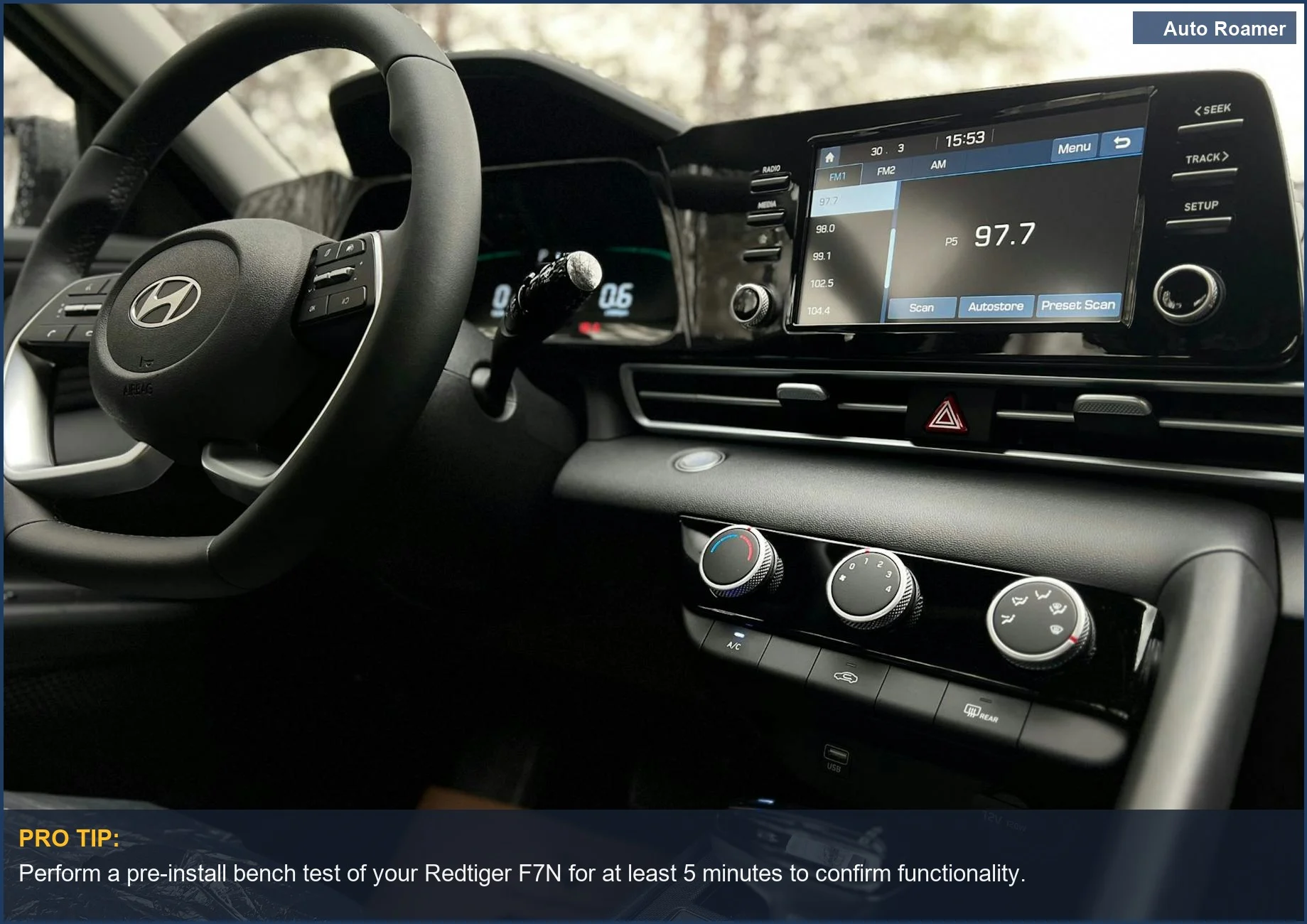
Perform a pre-install bench test of your Redtiger F7N for at least 5 minutes to confirm functionality.
The interior of a modern car dashboard, featuring a prominent touchscreen, is the perfect environment for installing the Redtiger F7N dash cam. | Photo by Kanat Kairatov

What This Looks Like in Practice

  • Winter Mountain Pass in a Subaru Outback: Driving through a snow-covered mountain pass in a Subaru Outback, the Redtiger F7N's 4K front camera provided clear footage of the road conditions, crucial for identifying icy patches. However, the rear camera's performance dipped in heavy snowfall, sometimes obscuring details of vehicles behind us. We found the Wi-Fi connection to the app REDTIGER F7N How to use APP WiFi & Recommended ... - YouTube useful for quickly reviewing footage to assess any close calls.
  • Summer Desert Drive in a Honda Civic: On a scorching summer day in a Honda Civic, the dash cam's IPS screen remained visible despite direct sunlight, a significant plus. We appreciated the automatic recording upon starting the engine, ensuring we captured any incidents. The main limitation encountered was that in extreme heat, the unit felt noticeably warm, though it continued to function without issue, based on our PDF] F7N USER MANUAL testing.
  • Nighttime City Commute in a Toyota Camry: Navigating busy city streets at night, the Redtiger F7N's night vision capabilities were put to the test. While license plates were generally legible on well-lit streets, in darker areas, the capture quality sometimes struggled to distinguish details, a common issue with many dash cams reddit. The GPS logging proved invaluable for pinpointing exact locations of any potential disputes.
  • Rainy Highway Travel in a Ford F-150: During a long highway stretch in heavy rain, the Redtiger dash cam F7N's ability to record clear, unobstructed video was critical. The suction cup mount held firm on the windshield, even with the vibrations of the truck. The main drawback was the rear camera's tendency to fog up slightly in humid conditions, requiring occasional manual wiping to maintain clarity PDF] User Manual - DashCamTalk.
To ensure you get the most out of your dash cam, consider reviewing the FHD 1080P dash cam instructions.
Verify your Redtiger F7N's recording modes are set correctly for optimal performance in all lighting conditions.
An illuminated car dashboard with visible speedometer and odometer provides context for Redtiger F7N recordings, showing crucial driving data. | Photo by Erik Mclean

Mistakes That Cost People

Symptom Dash cam footage is blurry, especially at night or with fast-moving objects.
Signal Consistently poor video quality in recorded files, even in good lighting.
Symptom You can't connect to the dash cam's Wi-Fi to review footage or change settings.
Signal The dash cam's Wi-Fi indicator light is off or blinking erratically, and the mobile app can't find the device.
Symptom Parking mode isn't activating or is draining your car battery.
Signal The dash cam remains inactive when the car is off, or you find your car battery dead after a period of inactivity.
Symptom The rear camera's field of view is too narrow, missing crucial details.
Signal Reviewing footage shows the rear camera only capturing a small portion of the scene directly behind the vehicle.
Symptom Dash cam locks up or reboots randomly, losing recordings.
Signal Frequent freezing during operation or unexpected restarts, confirmed by checking the recording log.
Symptom GPS data is inaccurate or missing from your recordings.
Signal Speed and location information are absent or show incorrect details when reviewing footage in the app or on a computer.
Improper mounting of the Redtiger dash cam F7N compromises field of view and degrades video quality through vibrations. Find the "best location" as per the manual, ensuring it's centered and doesn't obstruct your view F7N USER MANUAL. Use the recommended suction cup or 3M adhesive and adjust the angle for a clear, unobstructed view. Regularly formatting the SD card is crucial. A full or fragmented card causes recording errors and data corruption. Formatting through the dash cam's menu or the companion app REDTIGER F7N How to use APP WiFi & Recommended ... ensures optimal performance. Aim for monthly formatting. Connect Wi-Fi via the dedicated Redtiger app, not your phone's general settings. Initiate the Wi-Fi connection from the dash cam itself (usually by holding a button), then follow the Redtiger app prompts Red Tiger F7N Dash Cam Review and Wifi Connection Guide. For newer vehicles, improper hardwiring can drain the battery or interfere with systems. Use a voltage-monitoring hardwire kit and connect to a fuse that powers up with the ignition, or a dedicated parking mode fuse. Consult your car's manual or an auto electrician if unsure. Relying solely on the built-in microphone can lead to excessive road noise and wind, obscuring crucial audio. Consider an external microphone if compatible or position the dash cam to minimize wind buffeting. Ordering from Redtiger's official website can grant an additional 6-month warranty, totaling 24 months User Manual - Redtiger.
To enhance your dash cam experience, consider investing in a high-quality FHD 1080P dash cam SD card.
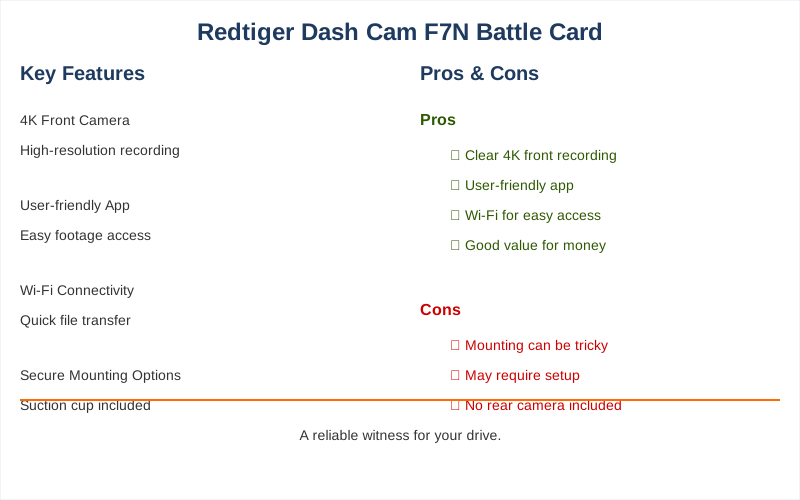
Redtiger F7N dash cam: pros vs. cons comparison.
Comparison overview for redtiger dash cam f7n

Key Takeaways

  • The Redtiger Dash Cam F7N offers a robust solution for vehicle recording, with comprehensive support including a 30-day money-back guarantee and a 24-month warranty when purchased directly from Redtiger User Manual - Redtiger.
  • Setup is generally straightforward, with users able to mount the camera using either a suction cup or 3M adhesive, depending on the model variant User Manual - DashCamTalk.
  • Connecting to the accompanying app via Wi-Fi is a key feature, allowing for easy access to recordings and settings adjustments, though it requires a specific process on your smartphone REDTIGER F7N How to use APP WiFi & Recommended ... - YouTube.
  • For those concerned about continuous recording, a hardware kit is available to enable parking surveillance features, ensuring your vehicle is monitored even when parked Red Tiger F7N Dash Cam Review and Wifi Connection Guide.
  • The single most important thing to remember is that the Redtiger F7N prioritizes reliable video evidence with user-friendly connectivity, backed by solid customer support and warranty options.
To enhance your driving experience, consider following our dash cam instructions for added safety and convenience.

Frequently Asked Questions

What are the main safety features on this dashcam that actually make a difference out on the road?
For us, the biggest safety wins are the built-in collision and lane departure warnings. We've found these to be surprisingly accurate, especially on long highway stretches, prompting us to check blind spots or slow down before we might have otherwise. The 4K resolution also means crucial details like license plates are clear, which is invaluable if anything happens.
Is this camera something I can use anywhere, or are there places where it's not allowed?
Generally, dashcams are legal in most places, but it's always wise to double-check local laws, especially in other countries or if you're driving company vehicles. We haven't encountered any issues using it across various states for our road trips, but we make sure to be aware of any specific regulations before crossing borders.
How well does it record when it's dark or raining, like on those late-night drives or bad weather days?
We've tested this in some pretty challenging conditions, and the F7N holds its own. Even in low light, the footage is surprisingly clear, capturing headlights and streetlights effectively, which is crucial for identifying potential hazards. It's not going to be perfect like daylight, but it's definitely good enough to make out details that matter for accident reconstruction.
Can I install this in pretty much any car, or do I need to worry about it not fitting or causing problems?
We've installed this in a few different vehicles, from our older Jeep Wrangler to a newer Subaru Outback, and it's been straightforward. The suction cup mount is pretty universal for windshields, and the wiring is designed to tuck away neatly. We haven't run into any compatibility issues with the power systems on these models.
What's the benefit of having this dashcam when we're on long road trips or camping way out in the middle of nowhere?
On long hauls, it's your silent witness, documenting everything from unexpected wildlife crossings to the rare driver who cuts you off. For camping trips, it's great for capturing scenic routes and providing peace of mind if you're parked in a remote area. Having that recorded evidence can be a lifesaver, whether it's for insurance or just personal records.

Sources

Related Articles